How to sign documents electronically with Visma Sign
Have you ever wondered how to sign documents electronically? An electronic signature is a modern and legally binding way to digitalise the signing of contracts and documents.
Three steps to e-signing
Why e-signatures?
How to verify a securely signed document
One service, many use cases
Three steps to e-signing
1.
Sending the documents
The person collecting signatures creates the document and sends a signing request by email or text message.
2.
Authentication
The signer verifies their identity using online banking credentials or a mobile certificate. The sender can also allow a simpler authentication option if needed.
3.
Signing
Signing is quick and easy. The signed documents are automatically saved in the archive, where all parties can view and download them.
Why e-signatures?
Electronic signing allows you to sign your company’s most important documents securely — anytime, anywhere. It’s fully legally binding and even more reliable than its paper-based predecessor. Every signing event leaves a digital trace, and documents cannot be altered after signing.

Efficient
89% of recipients sign within 24 hours of receiving a signing request. Sign instantly, regardless of time, distance, or location.

Secure
An electronic signature is a safe way to sign documents. The signers, signing times, and document contents are always verifiable beyond doubt.

Cost-effective
Electronic signing saves up to 90% of the time and costs compared to paper signing. There’s no need to print, scan, or physically archive documents at any stage.

Environmentally friendly
Digital documents don’t burden the environment or take up office space, as they remain electronic throughout their lifecycle. You’ll also save time — no more hunting down lost paperwork.

How to verify a securely signed document
Traceability
Electronic signatures are significantly safer than handwritten ones because they leave behind a detailed digital record — an audit trail. This ensures the authenticity and integrity of every signed document.
From the audit trail, the sender can view key details such as the signers’ IP addresses and timestamps for each signing event.
In Visma Sign, every signature is linked directly to the document, and each page is stamped with the audit trail data and a unique document identifier. This ID allows the document to be verified later if needed.
Authentication
Verifying the identity of signers is also an essential part of the legal validity of an electronic signature. In the Visma Sign service, the method of verification depends on the chosen form of electronic authentication.
With strong, or two-factor, authentication, the signer’s identity is verified by a trusted third party, such as online banking credentials or a mobile certificate.
The signed document clearly shows the names of the signers, timestamps, and information about the country-specific authentication method used during the signing process.
Verification
Anyone can verify a digitally signed document. The integrity and authenticity of the document can be confirmed by checking who signed it, as well as where and when the signing took place. Verification also ensures that the document has not been altered after it was signed.
What’s the difference between authentication methods?
In Visma Sign, the sender decides whether to require strong or simple authentication. As a rule, we recommend strong authentication, but when that’s not possible, a lighter option is available.
Strong authentication
With strong authentication, the signer’s identity is verified by a third party, such as a bank (online banking credentials) or mobile certificate. The signed document displays the signer’s name, timestamp, and the country’s authentication method used.
Simple authentication
With simple authentication, the signer draws their signature digitally in the signature field. Documents signed this way are still verifiable afterwards. The signed file includes the signer’s digital signature, printed name, email address, and IP address.
-
When should I use strong authentication?
As a rule, we recommend using strong authentication whenever possible — especially when the signer is not personally known or when the nature of the document requires it. An example of this is a document that involves a financial commitment. -
When should I use simple authentication?
In some signing situations — such as internal processes within an organisation — strong authentication isn’t always necessary. Since strong authentication is only possible using Nordic certificates or online banking credentials, simple authentication is a convenient option when the signer is located outside the Nordic countries. -
Does the level of authentication affect legal validity?
It doesn’t affect the outcome. An electronic signature is a fully binding and secure way to sign documents in Nordics and in EU. Every document and signature is completely traceable. -
Is an electronic signature as legally binding as a handwritten one?
Kyllä. Sähköinen allekirjoitus on täysin sitova sekä turvallinen tapa allekirjoittaa asiakirjoja, sillä EU-direktiivi ja Suomen laki ovat antaneet sille juridisesti sitovan aseman. Sähköinen allekirjoitus on jopa turvallisempi ja luotettavampi kuin kynällä piirretty allekirjoitus, sillä sähköisesti allekirjoitetun dokumentin eheys ja alkuperäisyys on jälkikäteen kiistattomasti todennettavissa.
One service, many use cases
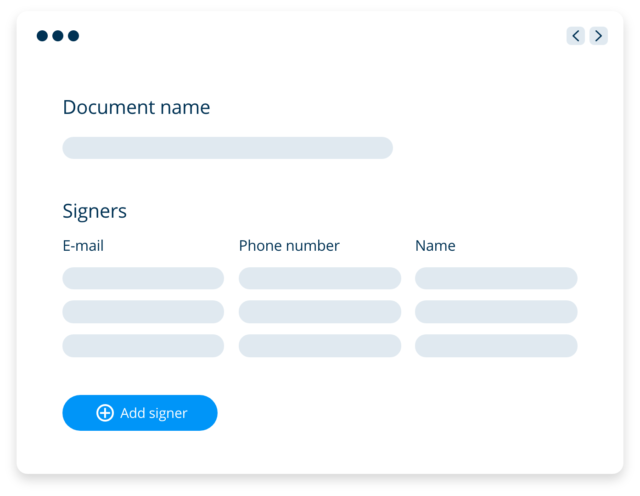
Collect signatures
Create and send electronically signed documents conveniently via your browser
Manage all your documents in one service. Signing works on any smart device — and 89% of documents are signed within 24 hours of sending.
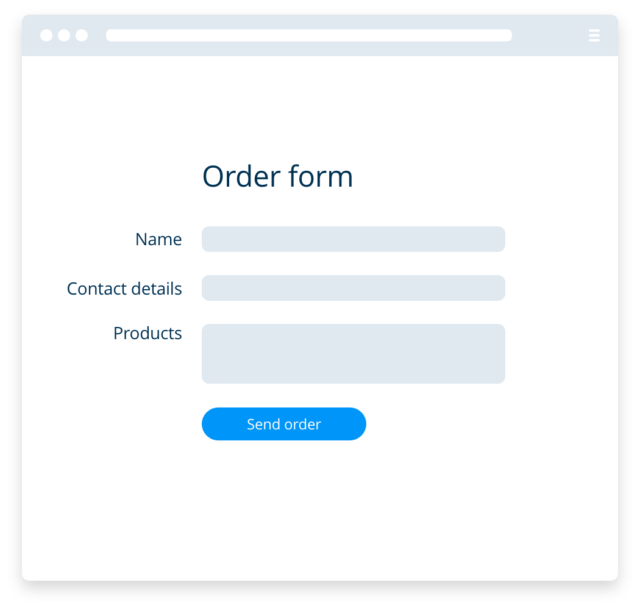
Web forms
Create signable web forms
Create signable web forms.
Did you know you can create signable forms easily with Visma Sign’s web form editor? You can embed a form on your website or online shop, allowing customers to fill in details and confirm submissions with an electronic signature. This ensures the signer’s identity and verifies all submitted data.
Signable web forms are available in the Visma Sign Business package and above.
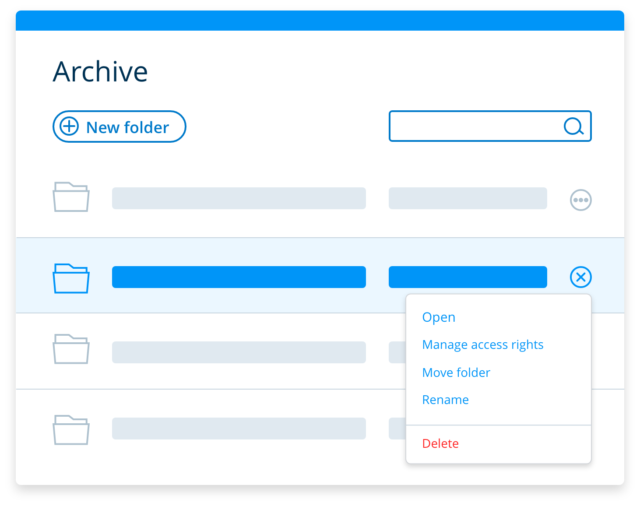
Manage your contracts
Archive and manage your most important contracts
All documents signed with Visma Sign are automatically stored in your document archive. One major use of the e-signature service is document management. When all signatures are collected electronically, documents also remain digital.
Documents are archived in designated folders, making them easy to manage even after signing. Users can be given different access rights and folder permissions, ensuring, for example, that HR staff or managers have access to the right files.
Integrate into your softwares
Integrate into your service
Enable electronic signing in your own software or service.
Enhance your service or application by integrating electronic signing. Integrating Visma Sign is simple, and our integration team will support you throughout the process. More than 30 ready-made software integrations are also available.

Trusted by 70 000+ companies
Would you like to see how it works in practice? You can try Visma Sign for free. Our experts are here to help if you’d like more information.